










In Flexmls, Floor Plans Have Their Own Media Category
When editing or adding a listing, you'll see a new section called Floor Plans where you can upload floor plans. The process to upload and manage a floor plan will be similar to the current process for uploading and managing photos.
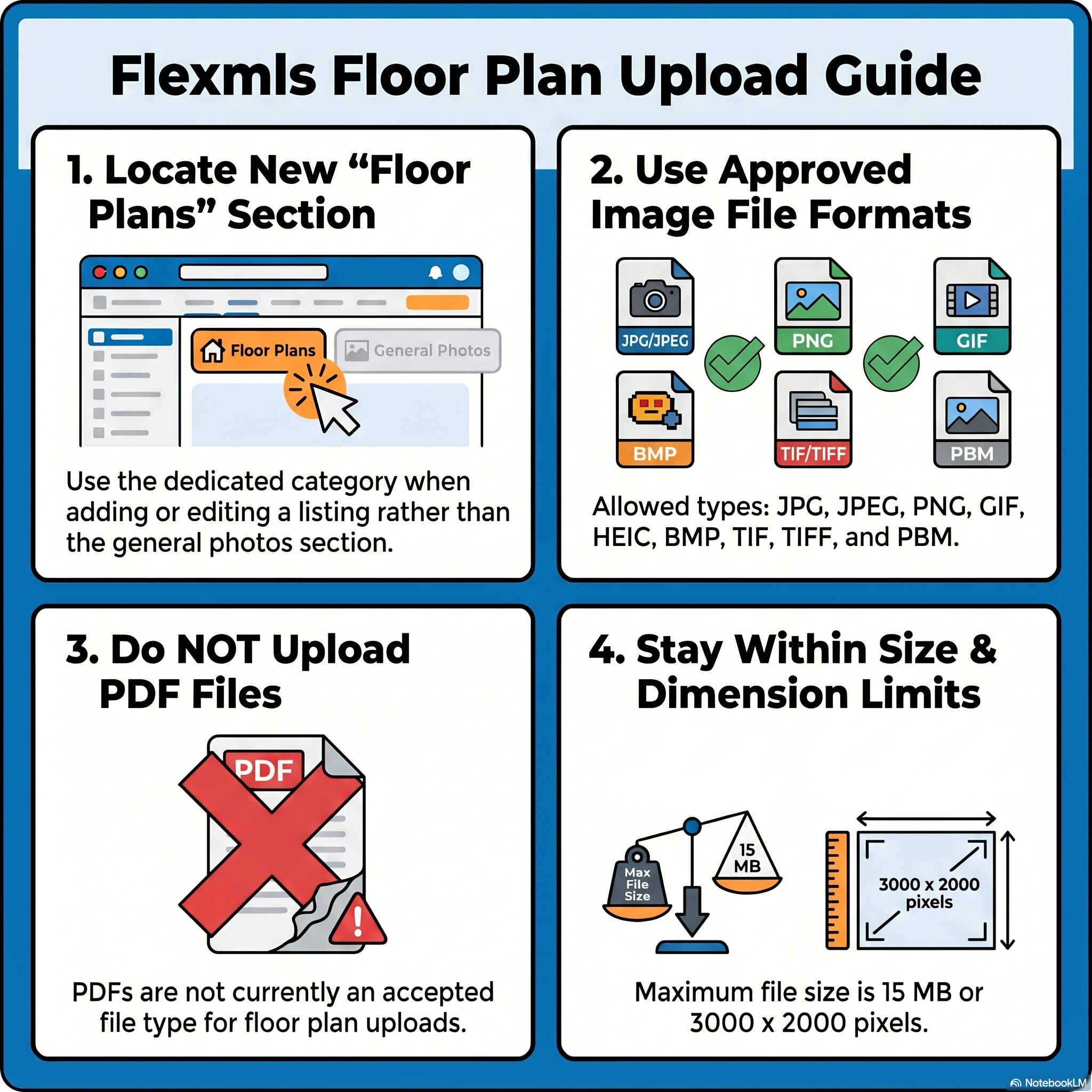
Accepted file types for floor plans include all currently accepted photo file types (JPG, JPEG, PNG, GIF, HEIC, BMP, TIF, TIFF, PBM). Maximum accepted file sizes are also the same as maximum accepted photo sizes (15 MB or 3000 x 2000 pixels). PDFs are not currently an accepted file type for floor plans. MLS watermarks will also be applied to all uploaded floor plans.
Do You Only Have a PDF?
You can upload a PDF version of the floorplan to the documents section and convert the file using:
- Adobe Acrobat Converter
- smallpdf.com
- If on a Mac: in Preview, select File > Export (Format to JPEG, PNG, or TIFF)
Improved Display for Floor Plans When Searching
Listings with a floor plan will now have a “Floor Plan” tag on Android, Mobile Web, and Portals, similar to the 3D Tours or Price Change tags you see today. Users are also able to search for listings with floor plans in Quick Search using the Additional Search Options.
Learn how with Flexmls' guided tour.
Add or Change Listing Floor Plans
You can upload floor plans to a listing, where they display in a section labeled 'Floor Plans.' To add floor plans to an incomplete listing,
- Click My Incomplete under Add/Change on the menu
- Select the listing and click Edit.
- To add or change the floor plans for a listing that has an MLS number, navigate to the Change Listing page.
- To go to the page, click Change Listing under Add/Change on the menu.
- Enter the MLS number or click on the listing in the My Listings section of the page.
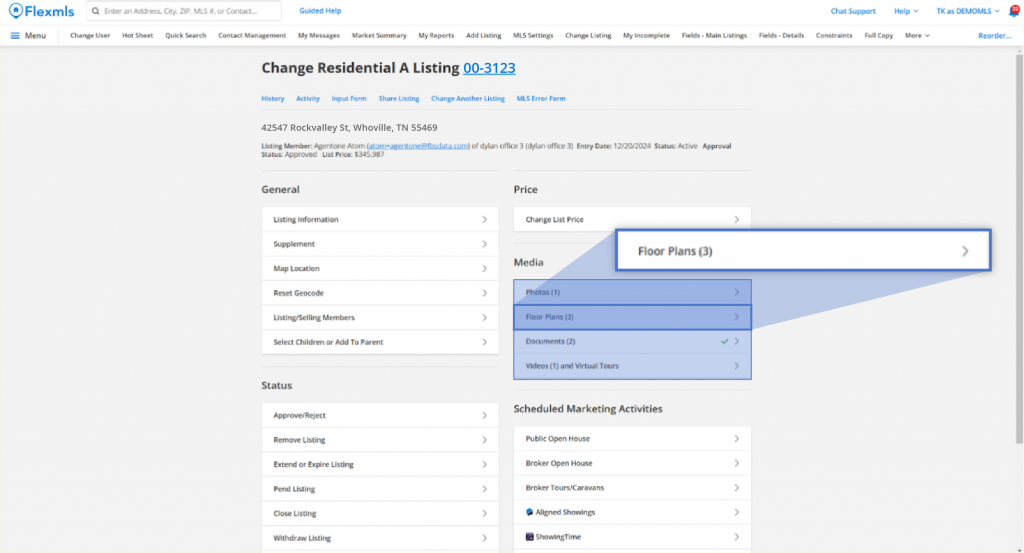
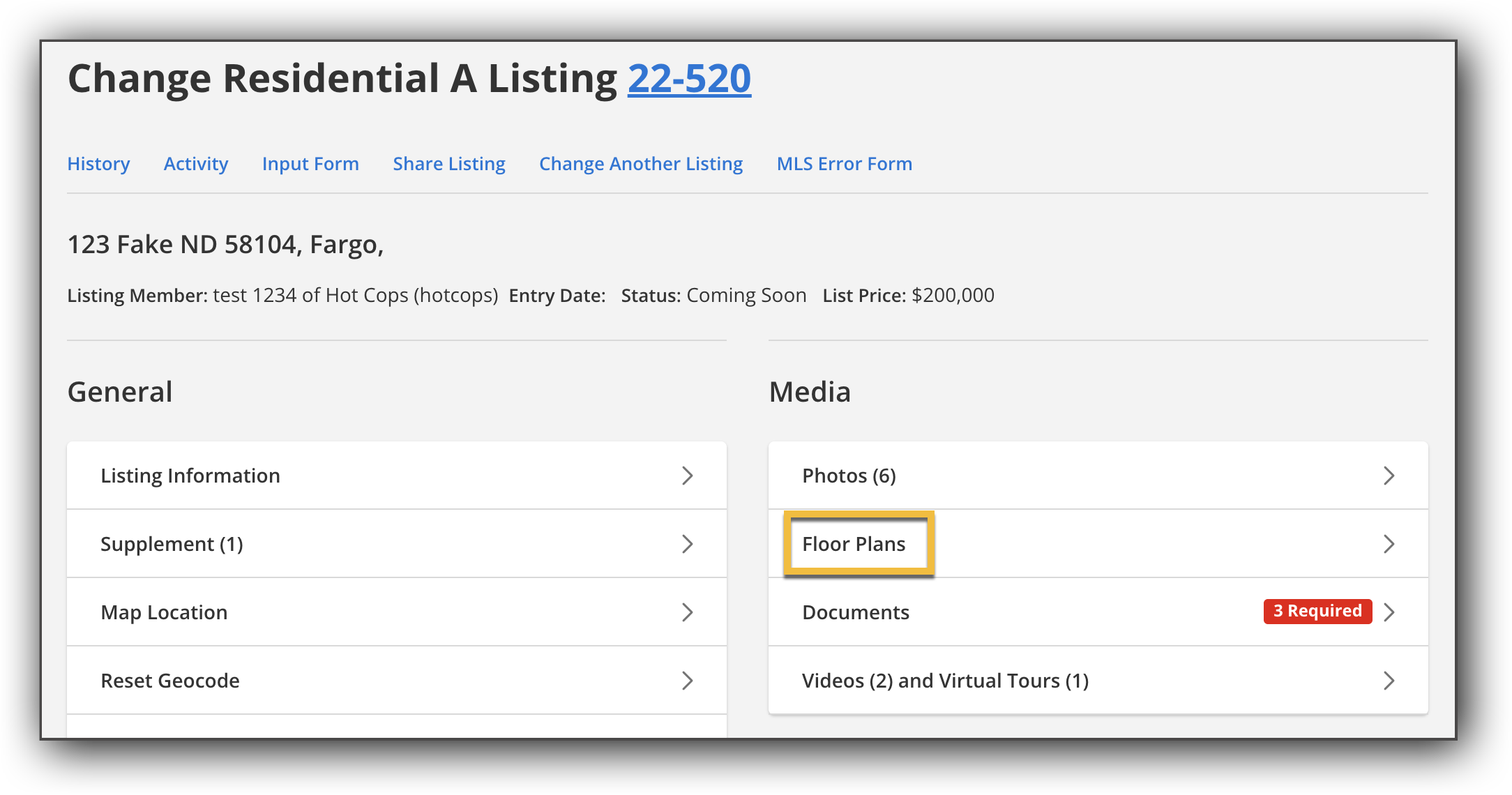
- In the Media section of the Incomplete Listing and/or Change Listing page, click Floor Plans to open the floor plan section for the listing.
- You can add or remove floor plans, rearrange the order, add captions, change the primary floor plan, rotate photos, and change floor plan privacy.
Updates to floor plans are saved automatically. - When you are finished adding and editing photos, click Return to edit your listing in the upper left corner of the page to exit the Change Listing page for that listing.


Comments