











Pulling accurate production numbers matters, especially when those numbers turn into recognition.
This step-by-step guide walks you through how to access and run a production report in FlexMLS so your totals are counted correctly. The results will be used to compile the $5–10 Million and $10 Million lists for the Awards Gala program, and qualifying members will also receive an awards certificate by email.
Steps for Accessing and Running the Production Report in FlexMLS
- Log into FlexMLS.
- Navigate to Statistics:
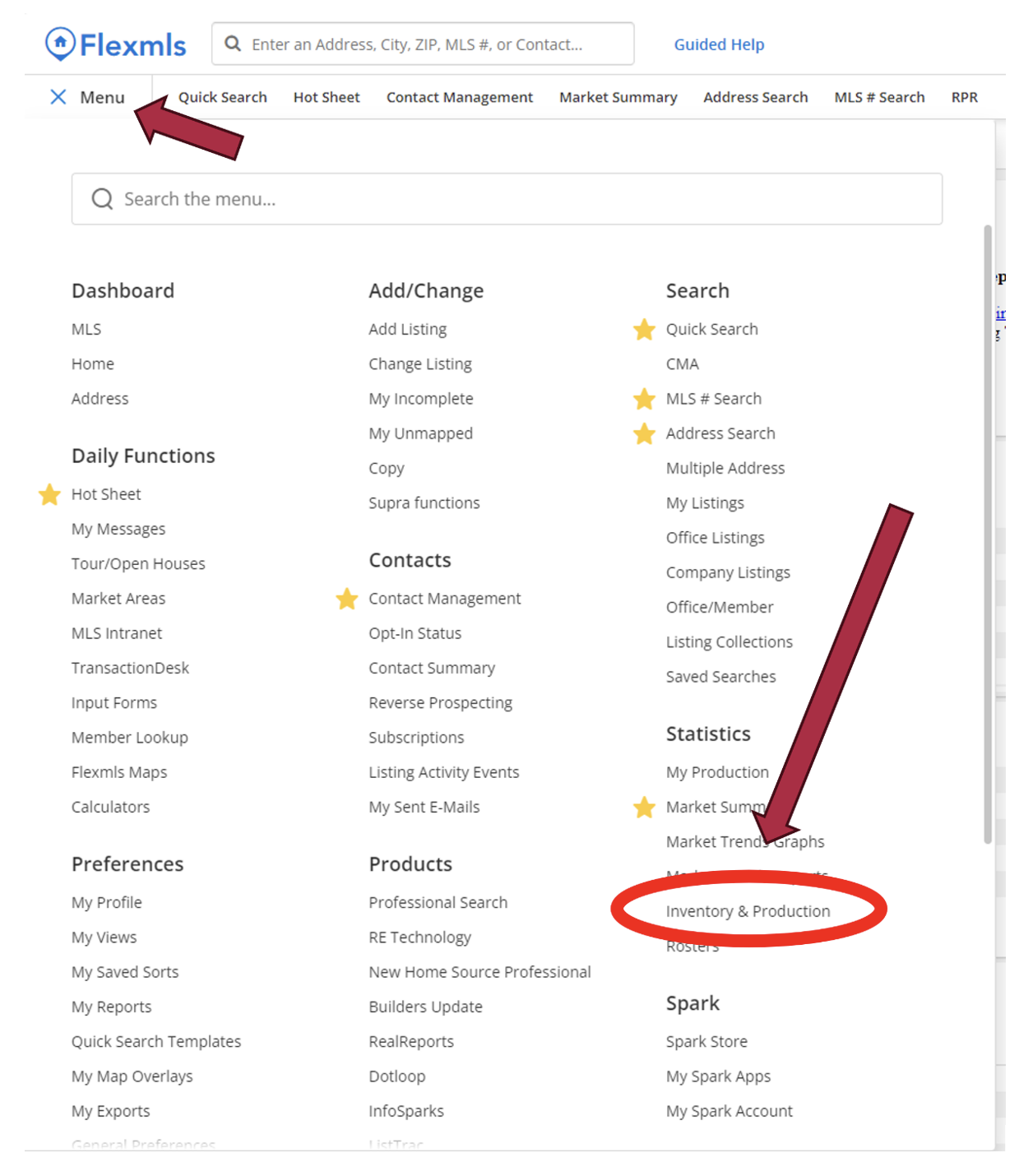
- Click on the Menu.
- Scroll to Statistics and click on Inventory & Production
- Run the Production Report:
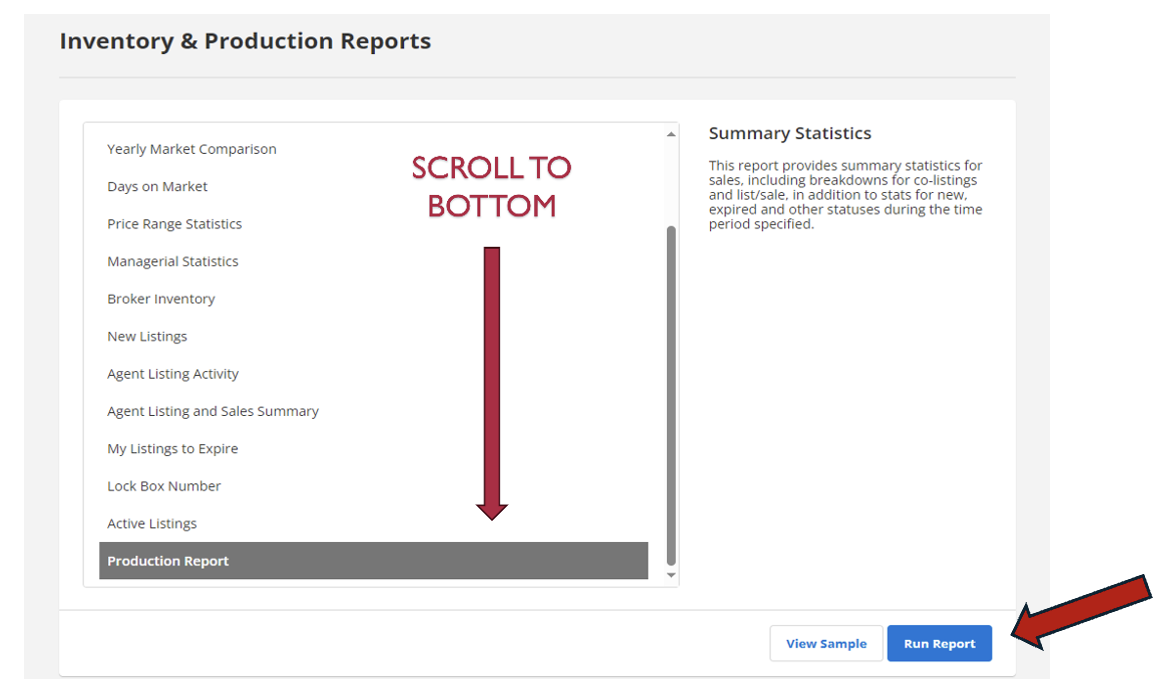
- Scroll to the bottom of the page and click on Production Report.
- Set the parameters as follows:
- Date Range: January 1, 2025, to December 31, 2025.
- Property Types: Residential, Land, Residential Income, Commercial Sale, and Farm & Ranch, and Builder Comps
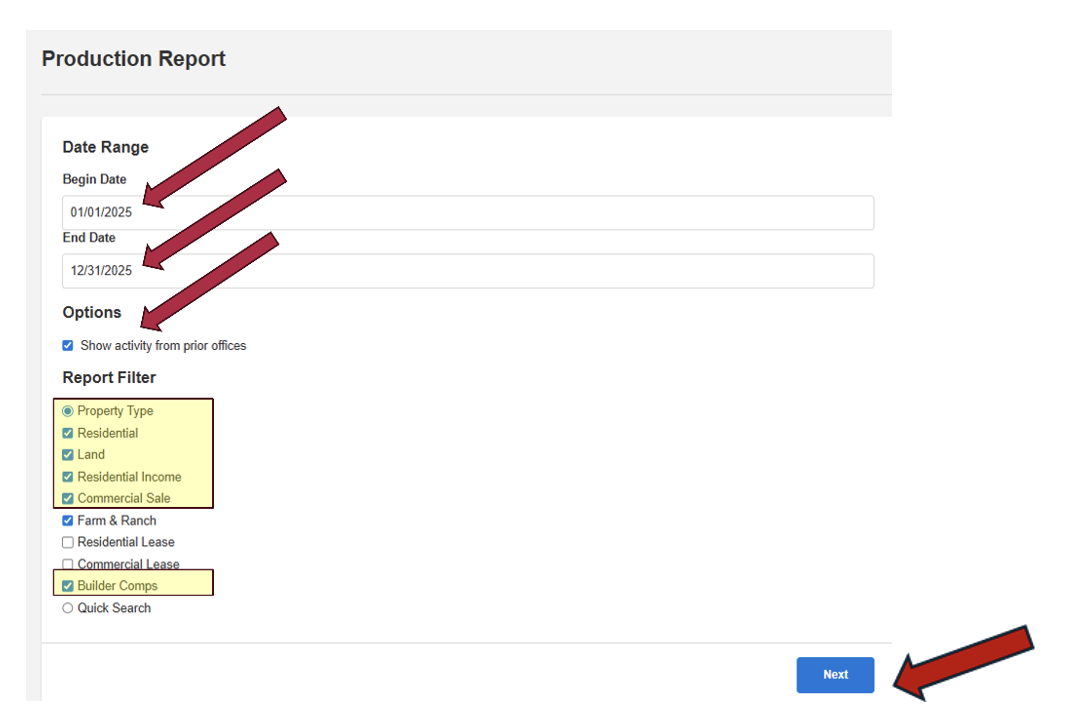
- Click Next.
- The report will generate.
Understanding the Report
- Top Section:
- Displays your office production and ALL MLS production.
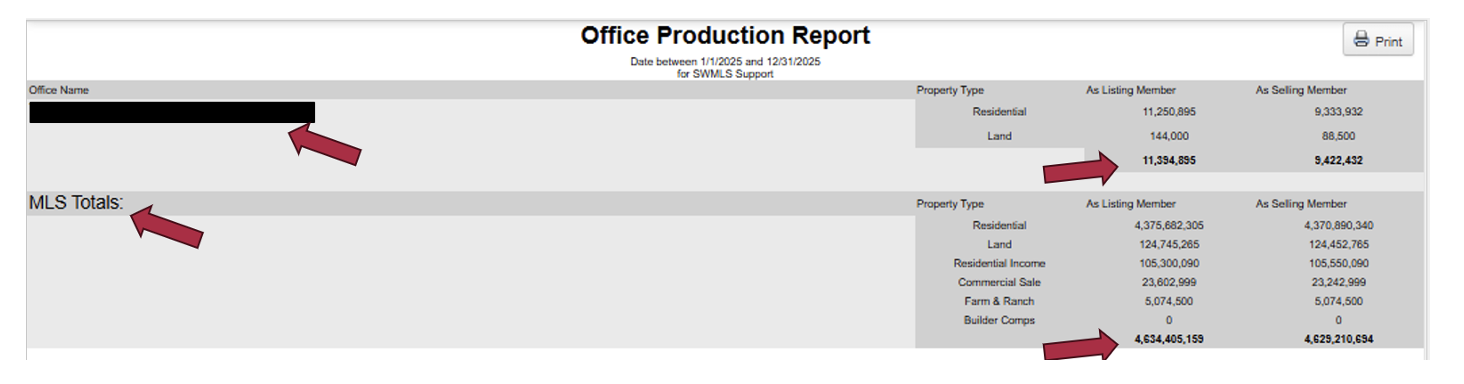
- Displays your office production and ALL MLS production.
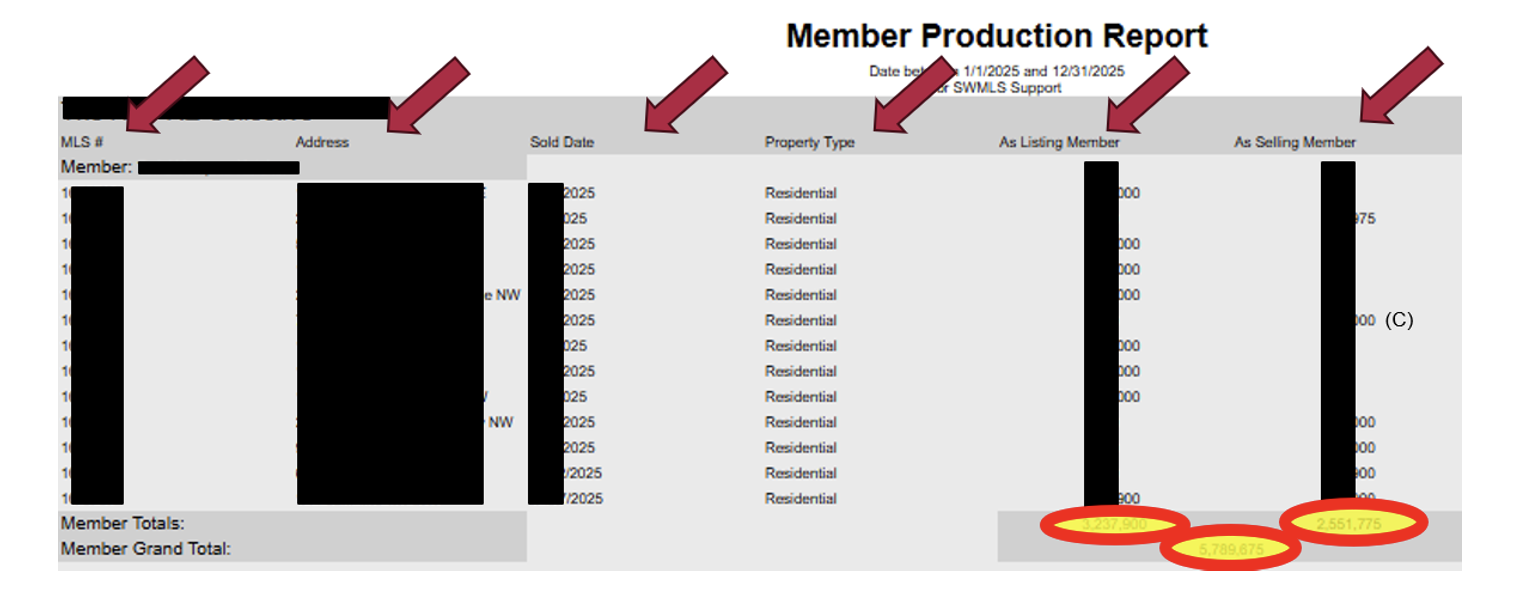
- Member Production Report:
- Shows:
- MLS #s, addresses, sold dates, property types.
- Indicates whether you were the listing member, selling member, or both.
- A (C) next to an entry signifies co-listing or co-selling, which splits the production automatically 50/50 between the co-members. This split amount is automatic and non-negotiable.
- Shows:
- Bottom Section:
- Displays totals used for the GALA Awards.
- Double-check for accuracy and report any missing information.
Adding Missing Transactions (e.g., FSBO Sales Not Listed on the MLS)
- Create a New Listing:
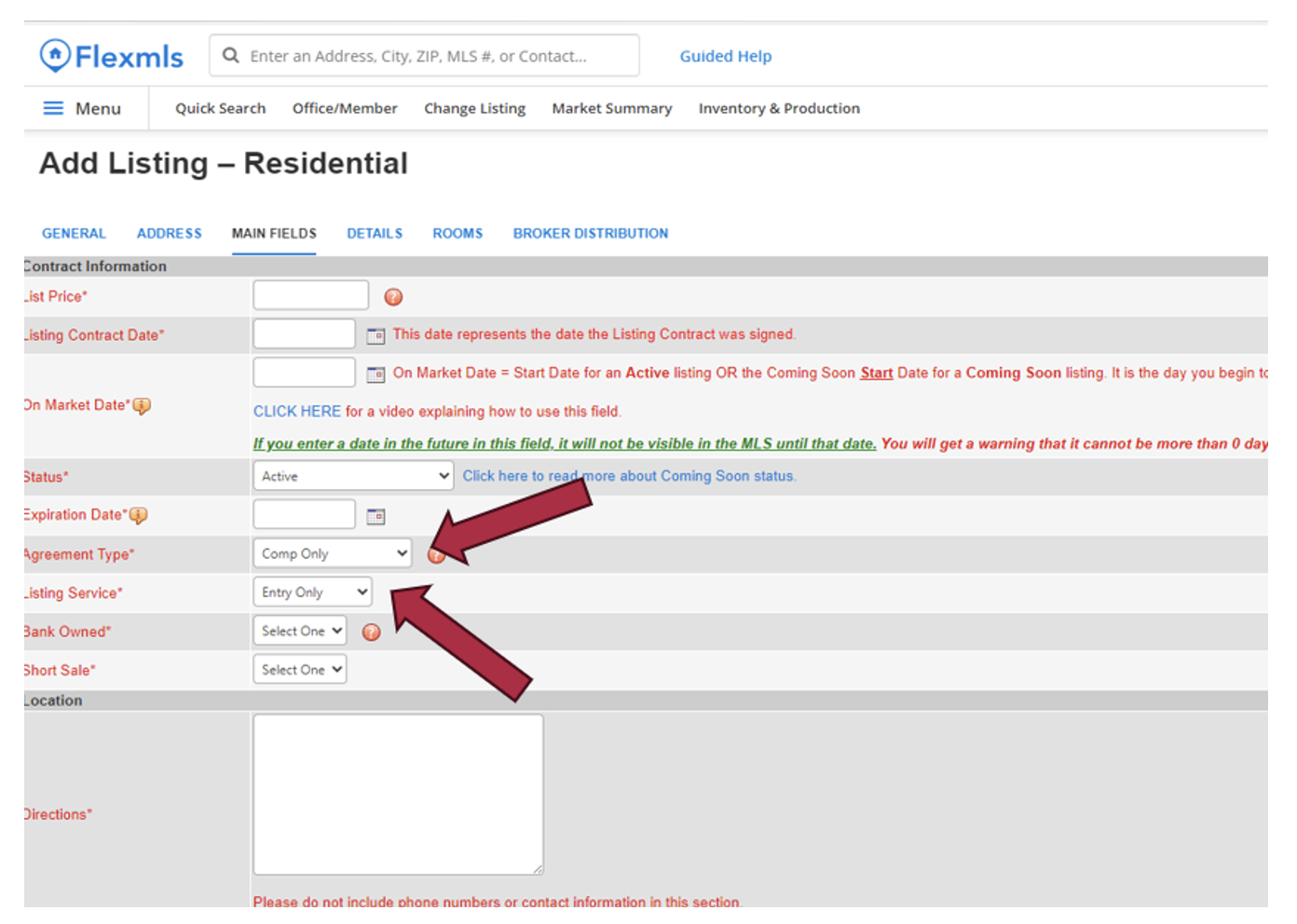
- Go to Add Listing.
- Under the Main Fields tab:
- Set Agreement Type to Comp Only.
- Set Service Type to Entry Only.
- Complete the Listing Details:
- Enter all required fields as you would for a normal listing.
- Follow MLS rules and regulations, including the minimum photo rule.
- For all residential resale listings, requirement of a minimum of one photo of the living room, kitchen, and bathrooms based on the number, exterior front, and backyard.
- Ensure data integrity by entering correct dates and information.
- Handle Exceptions:
- If unable to enter correct dates, enter what you can and notify support@SWMLS.com.
- Contact support if:
- You didn’t represent the seller, so they can update the listing agent to Non-MLS Member.
- Obtain Permissions:
- Ensure you have written permission from both the sellers and buyers to add the transaction to the MLS.
- Documentation is only required if there’s a complaint, but you must be able to provide it if needed.
Reminder that all production must be entered into and updated by the end of the day Saturday, January 31st, to be counted towards your 2025 production for GALA Awards on March 6th. If you have any questions, please feel free to give us a call at 505-843-8833 or email us at support@swmls.com
Thank you and have a great day!


Comments