










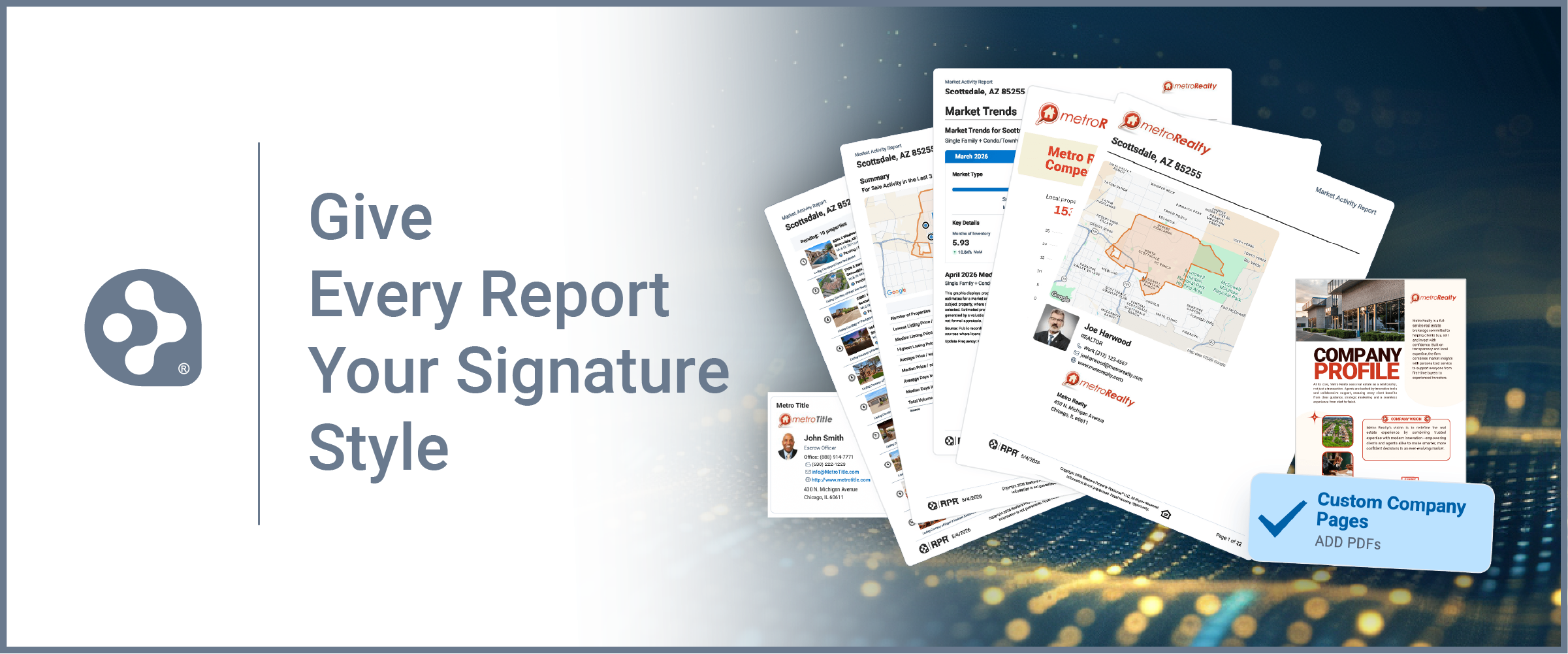
Add your branding, expertise and resources to the RPR reports you already use
RPR® Reports are packed with property details, market trends, pricing information and local data. Now, REALTORS® can take those reports a step further by using Custom Pages to create a more personalized, branded experience for clients.
Custom Pages allow you to insert your own PDF pages directly into an RPR Report, combining RPR's market data with the information and resources that set your business apart. Pages can be placed at the beginning, end or throughout a report.
Put Your Brand Into the Report
Instead of sending clients a report that ends with charts and statistics, Custom Pages give you an opportunity to add context, introduce your services and reinforce your value.
RPR suggests creating pages such as:
- Your bio: Introduce yourself, your experience and your approach to working with clients.
- Marketing strategy: Show sellers how you plan to market their property, including photography, digital marketing, open houses and other services.
- Client testimonials: Incorporate feedback from past clients to help establish credibility.
- Buyer and seller resources: Add timelines, checklists, FAQs or information about what clients can expect throughout a transaction.
- Community highlights: Share neighborhood features, local businesses, events and other insights that demonstrate your local knowledge.
You can also develop different pages for different audiences. A first-time buyer may benefit from a roadmap of the buying process, while a prospective seller may need your listing marketing plan. Build the pages once, then select the ones that make sense for each report and client.
Create Custom Pages with Canva
No need to start with a blank page. RPR offers free Canva templates that can be customized with your headshot, logo, brand colors and messaging.
Once your pages are ready:
- Export your designs from Canva as PDFs.
- Log in to RPR and select Reports.
- Under General Report Preferences, choose Manage Custom Pages.
- Select Add to upload your files. RPR currently allows up to five PDF pages with a combined file size under 10MB.
- Drag and drop the pages into your preferred order and choose where they should appear in your reports.
- When creating a report, expand My Details and select the Custom Pages you want to include.
Turn a Report Into a Client Resource
A customized RPR Report can do more than provide data. It can become a listing presentation, buyer resource, relocation guide or follow-up piece that clients can reference throughout their transaction.
The market information comes from RPR. The local expertise, service and personality come from you.
Start small with one useful page, such as an agent bio, buyer roadmap or seller marketing plan, then build a library of Custom Pages you can mix and match as your business grows.
Learn more about RPR Custom Pages and see examples here.


Comments