










Southwest MLS has identified a couple of complications with land listings in Flexmls.
When entering a land listing, you may encounter issues if:
- The property does not have a County Assessor–assigned address -or-
- The County has not yet issued a UPC code needed to geocode the property
Accurate data entry is required under SWMLS Rules. Please follow the steps below to ensure compliance and data integrity.
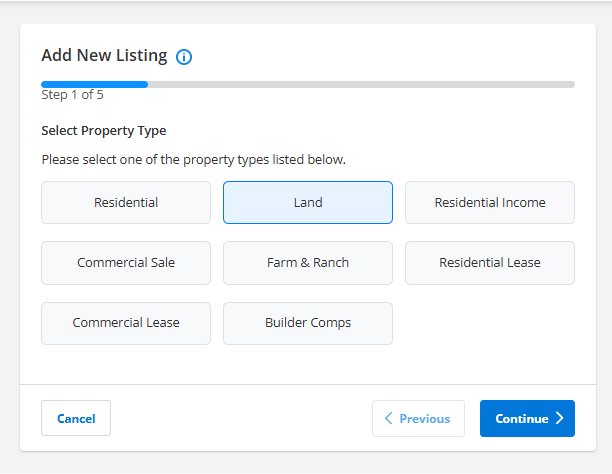
Step 1: Select Property Type
Select Land and click ‘Continue’
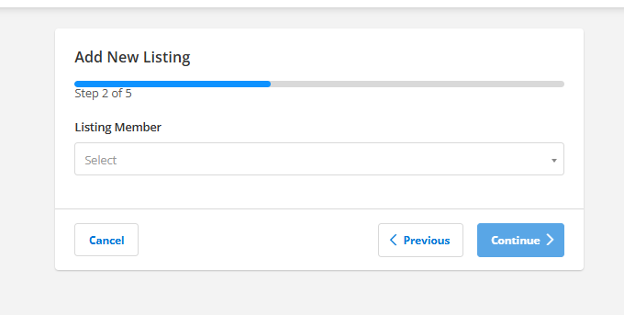
Step 2: Add Listing Member
Select Listing Member and click ‘Continue'
Step 3: Address
- For land listings without a County Assessor-provided address, enter the short legal description and select ‘Click here’.
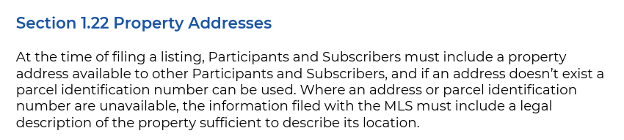
*DO NOT enter a false address such as 0 Main Street or 00 Main Street. Section 1.22 requires accurate property information. False addresses violate MLS Rules and may result in fines under Section 7.
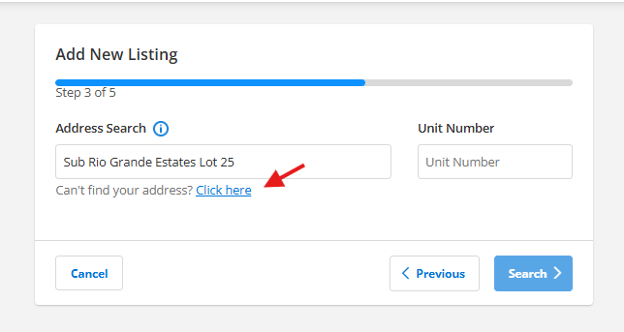
- Leave the top three address fields blank.
- Enter the short legal description in the Street Name field.
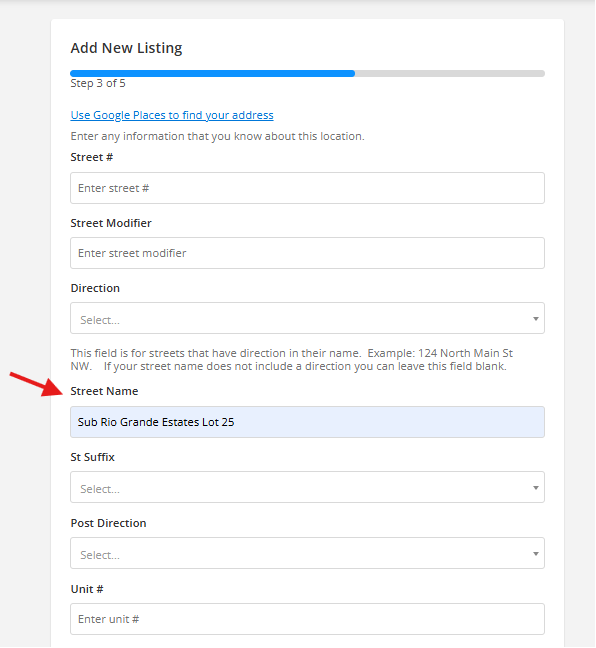
- Enter the official UPC Code
- Enter the County, City, and State
- Click the ‘Search’ button
*DO NOT use the tax account number (i.e R123456) or a enter a false UPC code (e.g., 0000000). Only use the official UPC code to preserve MLS data integrity.
If the UPC Code Is Not Yet Available
- Leave the UPC field blank.
- Speak with your Qualifying Broker and/or RANM Legal Hotline regarding required disclosures
- Add a note in the LO/SO Remarks such as ‘UPC code not yet assigned by County. Will update when issued.’
- Continue checking with the County for issuance
This satisfies Section 1.22 requirements while maintaining transparency.
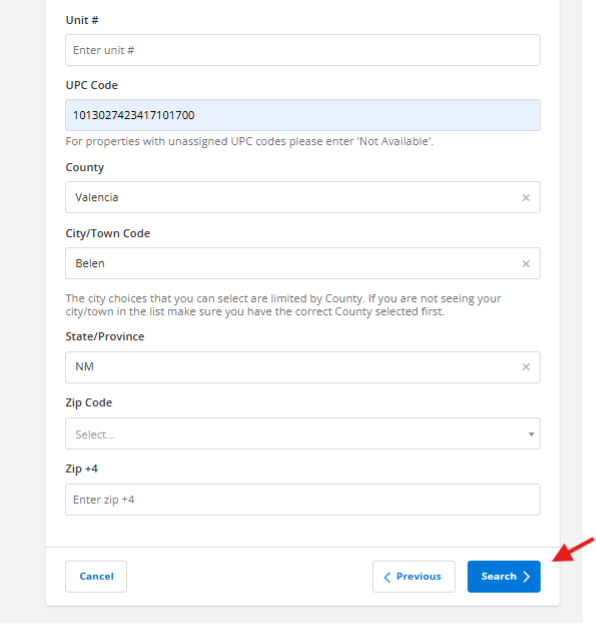
Step 4: Confirm Location
You are responsible for accurate location data under Section 8 (Accuracy of Data).
- Compare the map pin with your Plat Map.
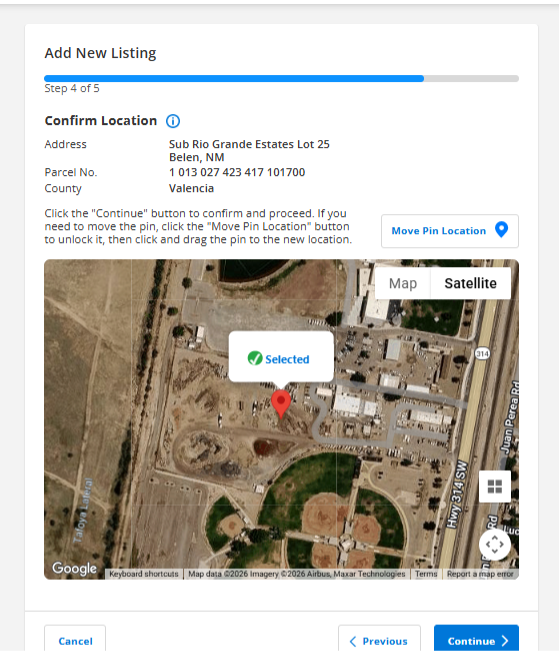
- If the Pin is Incorrect
• Click on ‘Move Pin Location’
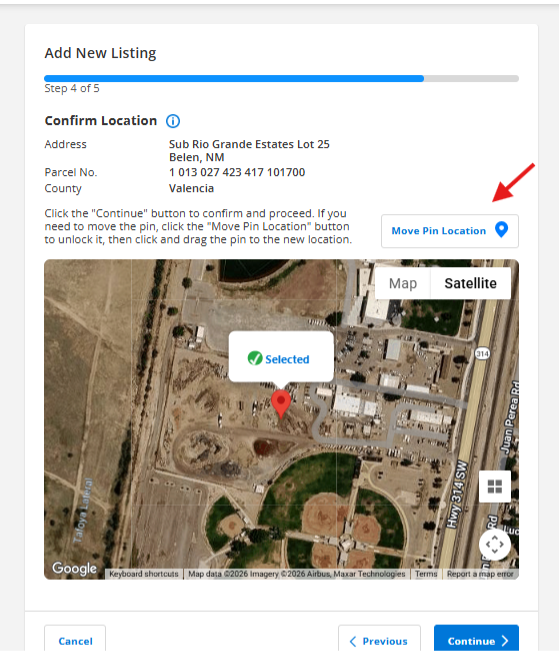
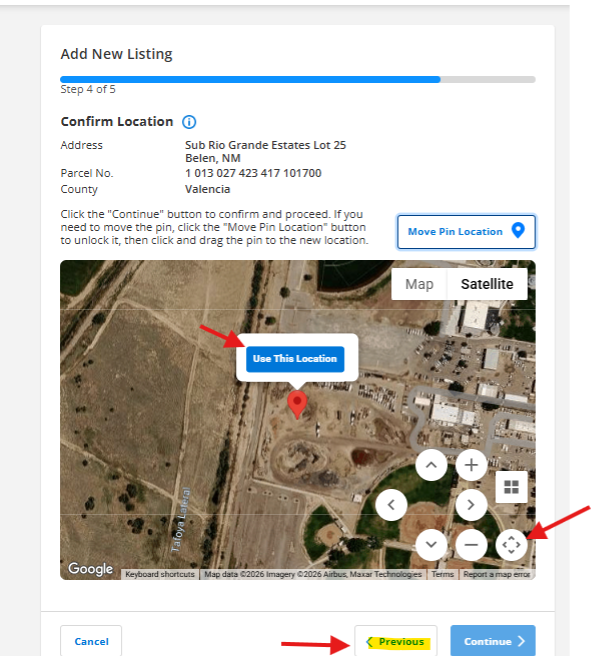
•Use your mouse to move the pin to the correct location
•Click on ‘Use This Location’ to pin it.
You can use the map tools to zoom in/out or move the map for precision.
If You Are Unsure of the Correct Location
- Consult your Qualifying Broker
- Contact the RANM Legal Hotline
- Make appropriate disclosures in the LO/SO Remarks
Accurate representation protects both you and the consumer.
Need to Start Over?
Click “Previous” to return without re-entering the address and UPC fields.
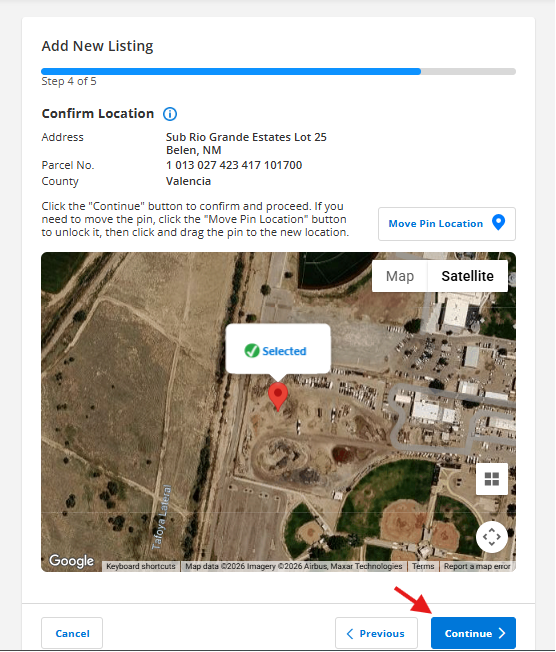
When your pin is set, click ‘Continue’
Step 5: Autofill
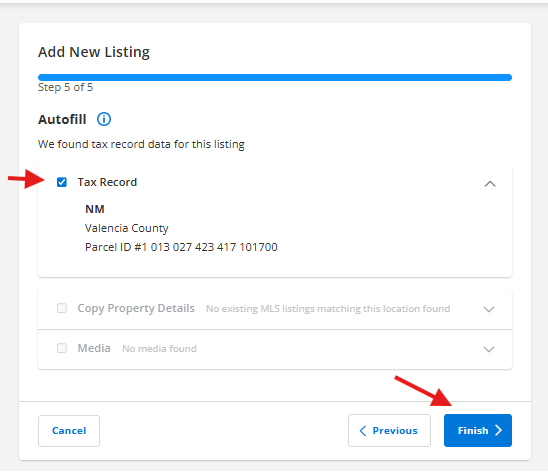
You will be prompted to include available tax record information.
- Confirm whether you would like to autofill.
- Click Finish
Important Reminders
- Accurate information is required under Section 1.2.0 (Accuracy of Listing Data) and Section 8 (Accuracy of Data).

- Entering false or placeholder information may result in fines.
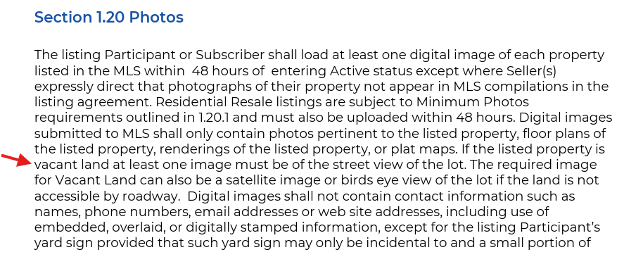
- Vacant land listings must include at least one image (street view, satellite, or bird’s-eye view) per Section 1.20.
If you have questions while entering a listing, please contact SWMLS Support at (505) 843-8833 or support@swml.com before submitting inaccurate information. It is always easier to correct before submission than after a violation notice.

Comments