










Managing changes to your GAAR membership and SWMLS account just got easier with a redesigned form built to simplify the process.
In both the GAAR and SWMLS member surveys, one of the most common pain points we heard about was the Member Change Form and the brokerage transfer process. Members told us the form could be confusing, time-consuming, and difficult to navigate during an already busy transition.
We listened.
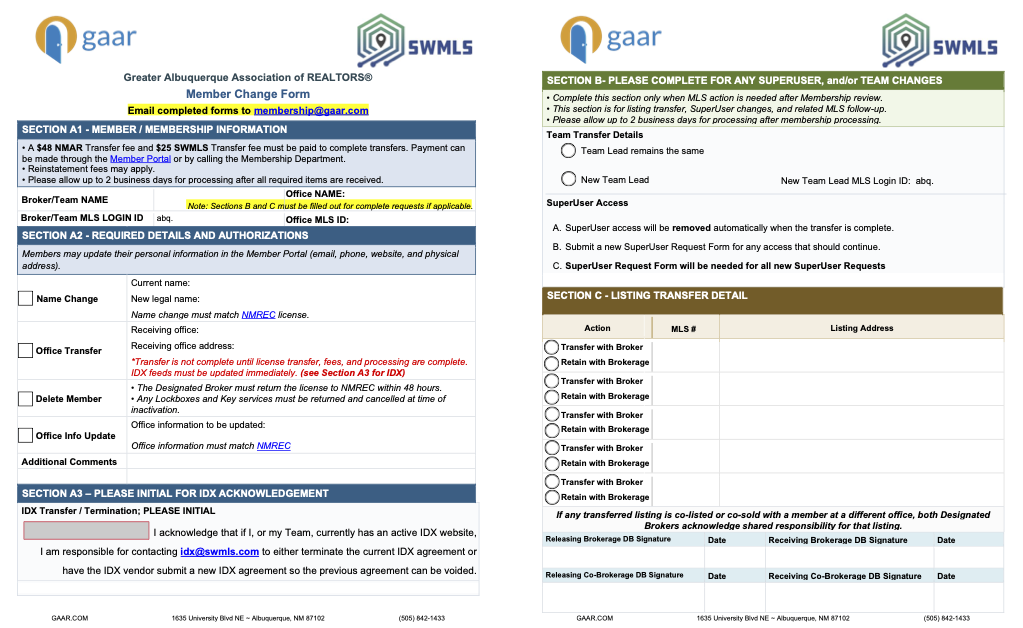
The Member Change Form has been completely redesigned to make the process clearer, easier to follow, and more efficient. The updated fillable form includes improved organization, clearer instructions, and better guidance so you know exactly what information is needed for your specific request.
What's New?
The updated form is designed to reduce delays and help members submit complete requests the first time. Improvements include:
- A cleaner, easier-to-follow layout
- Step-by-step form guide for common requests, including brokerage transfers, team changes, office updates, and member removals
- Clear reminders about transfer fees, required signatures, and matching NMREC records
- New guidance for IDX websites and SuperUser access
- Designed to streamline listing transfers as they are included in this form and don't require an extra step
- Fillable fields that make completing and submitting the form faster
Two Signatures Required
We recommend you fill out the form, save it, and upload it to your preferred e-signature platform for signatures. This will ensure the most efficient way to both fill out the form and obtain the two signatures required for verification. Otherwise, please print the completed document and then obtain the two wet signatures to complete the form.
A New Guide to Help Along the Way
In addition to the updated form, we've also created a comprehensive Member Change Form Guide that walks through each section, explains when it's needed, and answers many of the questions members have during office transfers and other changes.
Download and view the Member Change Form Guide
Important Notices
For a Member or Team transfer, this form must be completed and signed by both Designated Brokers before the transfer can be processed.
After submitting the form, the transferring member must call 505-843-1433 to pay the transfer fees:
- $25 MLS Transfer Fee
- $48 NMAR Transfer Fee
The transfer is not complete until:
- The Real Estate Commission has transferred the member’s license
- All applicable transfer fees have been paid
- GAAR and SWMLS have processed the Member Change Form
For more information, visit:
https://www.gaar.com/blog/article/understanding-brokerage-transfer-process
Not All Changes Need This Form
Members may update some personal information directly in the Member Portal, including:
- Email address
- Phone number
- Website
- Physical address
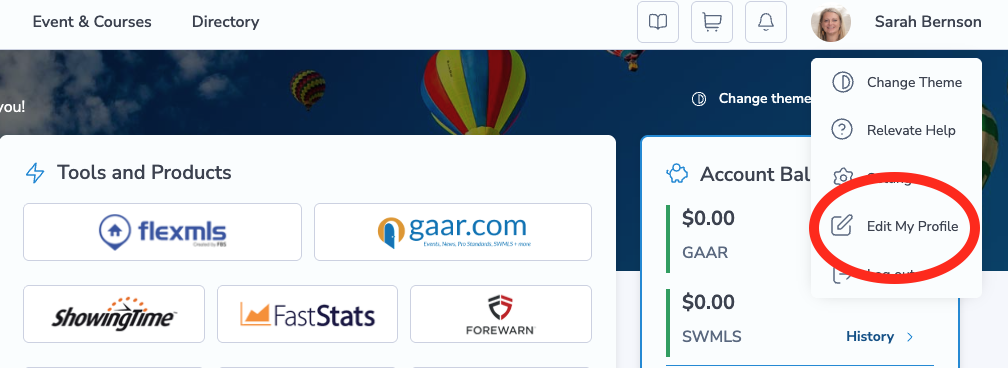
Important to note: this applies only to personal information in the Member Portal, where your quick links are located, not directly in Flexmls. Information in the Member Portal will override any changes entered into Flexmls. Any changes to brokerage or office information must utilize the Member Change Form.
How to Complete the Member Change Form
- Download the Member Change Form
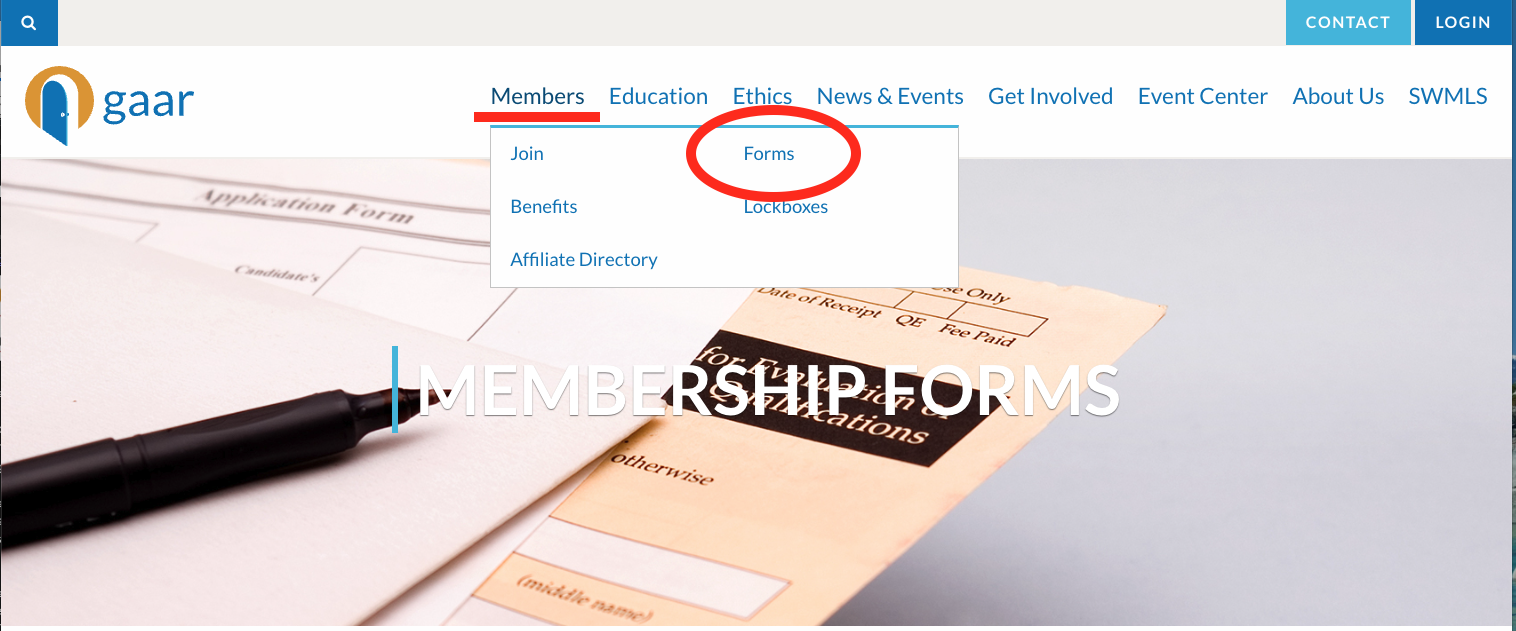
- SECTION A1 > Enter Member Information
- Broker/Team Name
- Broker/Team MLS Login ID
- Office Name
- Office MLS ID
- SECTION A2 > Select What is Changing. You can choose from these options:
- Name Change
- Office Transfer
- Delete Member
- Office Info Update
- Other/Additional Comments
- SECTION A3 > IDX Acknowledgement
- SECTION B > Team Transfer or SuperUser Details
- SECTION C > Listing Transfer Details
- Specifiy action
- Add MLS # & Address
Helping Make Transitions Smoother
Whether you're changing brokerages, updating office information, transferring a team, or handling listing transfers, our goal is to make the process as seamless as possible while ensuring GAAR, SWMLS, and NMREC records remain accurate.
While some steps, such as required signatures, transfer fees, and NMREC licensing requirements, are still necessary, we've worked to remove as much confusion from the process as possible.
Member feedback continues to shape the services and tools we provide. Thank you to everyone who shared their experiences in our surveys. Your input directly led to these improvements, and we hope this updated Member Change Form makes your next transition a little smoother.
Comments