










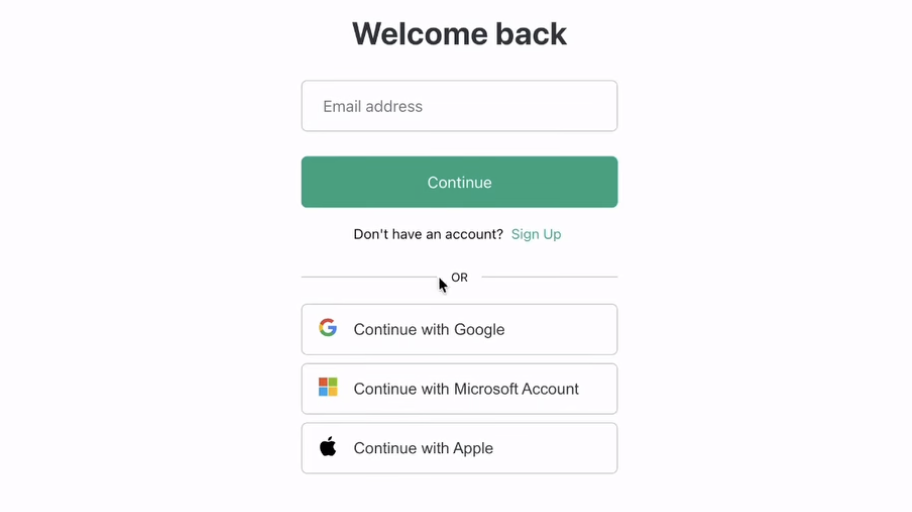
Cybercriminals are getting sneakier, and one trick climbing the charts is the Browser-in-the-Browser (BITB) attack. This scam creates a fake login window inside your actual browser. It looks convincing. It looks familiar. It even behaves like the real thing. Unfortunately, it’s built to steal your email, password, and sometimes your two-factor authentication codes. Basically, it’s a phishing attack wearing a Halloween costume and hoping you don’t look too closely.
These attacks are especially effective because so many of us use Single Sign-On (SSO) to log into websites. SSO saves time by letting you sign in with one trusted account, like Google or Microsoft. Click “Sign in with Google” or “Sign in with Microsoft,” and a pop-up appears; you enter your credentials, and everything connects smoothly. Criminals know this flow inside and out, so they fabricate the same style of pop-up window to catch people off guard.
A convincing BITB window will mimic the browser frame, display the right logo, show the correct formatting, and look absolutely legit. The giveaway comes from what it can’t do. A real pop-up is its own window. A fake one is trapped on the page. Trying to drag the window is one of the easiest tests. If you can’t slide it off the browser and onto your desktop area like a normal window, you’re staring at an impostor. A little tug goes a long way in saving your credentials.
Several red flags are worth remembering:
- You’re already logged into Google or Microsoft, yet a fresh login request suddenly appears.
- The pop-up refuses to leave the website or won’t drag beyond the browser frame.
- The URL looks off, contains extra characters, or just feels wrong.
- The pop-up is unusually eager, like a salesperson who gets paid by the password.
SSO is still safe when used correctly. Google and Microsoft invest heavily in security, and legitimate pop-ups come from their servers. The danger isn’t the technology itself. It’s the fake login boxes piggybacking on our trust in it. Think of this scam like someone holding a clipboard and pretending to work for the utility company. The uniform looks right, but the questions feel wrong.
A few protective habits make a big difference:
- Always double-check the web address before entering login info.
- Drag the pop-up. If it doesn’t move, don’t trust it.
- Enter an incorrect/fake password first. If it "works," you know it's phishing.
- Close suspicious windows instead of guessing your way through them.
- Type the site address manually if you feel unsure.
A little awareness goes a long way. The next time a surprise login box appears out of nowhere, trust your instincts and test dragging the pop-up window.
Staying alert today saves headaches tomorrow.

Comments